Deploy Places Metadata
After making any of the following types of changes to a Place, you must deploy metadata for the changes to take effect. This process pushes the changes to the Loyalty server, making them available for use across the platform.
-
Publishing a new Place.
-
Editing any aspect of a Published Place.
-
Deleting a Published Place.
-
Archiving a Published Place.
Note: The steps below describe how to deploy metadata directly from the Places screen; you can also deploy metadata from the Deployments screen
To deploy Places metadata.
-
Select Admin from the top navigation bar, then select Locations > Places from the side navigation menu. The Places screen is displayed, with List View selected by default.
-
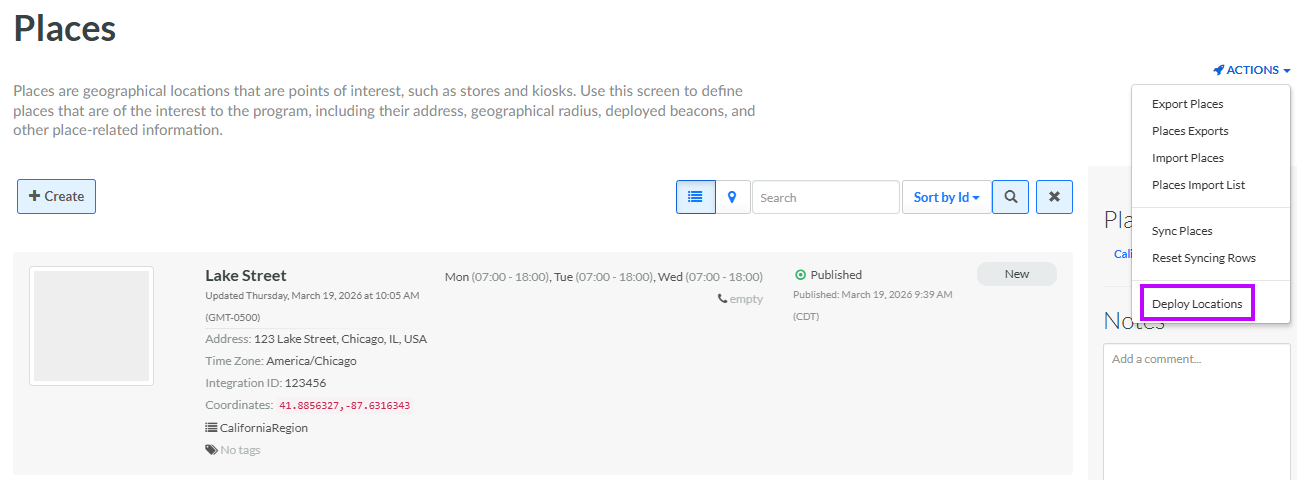
From the Actions menu in the top-right corner of the Places screen, select Deploy Locations. A success message is displayed in the bottom-right corner of the screen.